Projects
Manage every payment in one Project
Set up payment methods, API credentials, payment links, webhooks, and transaction activity inside one Project. Keep every business, app, or brand neatly separated.


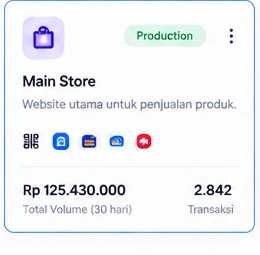
Key Features
One Project for every business you run
Manage multiple businesses, brands, or apps more cleanly with Projects.
Keep every business separate
Manage multiple brands, products, or apps in one account with Projects.
Flexible configuration
Set up payment methods, webhooks, API credentials, and other settings per Project.
Clearer monitoring
See each Project's transaction performance separately through the dashboard and analytics.
Real-time notifications & webhooks
Get instant notifications and manage webhooks separately for each Project.
Quick Start
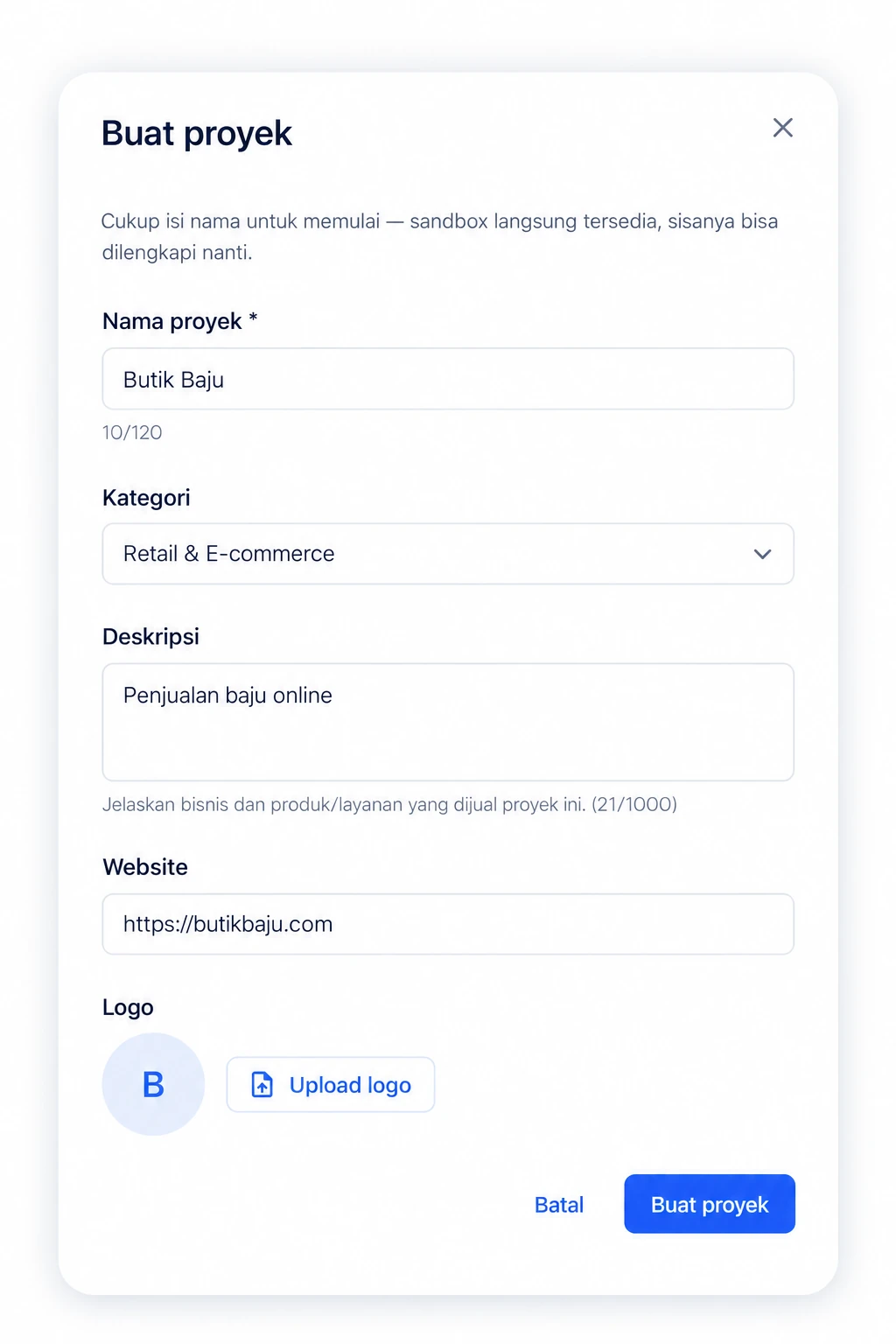
Create a new Project in seconds
Create a Project for every business, brand, or app you run. No separate accounts needed — just one Baiyar account for everything.
- Create unlimited Projects in one account
- Pick a business category when you create a Project
- Start in Sandbox mode before going live in Production
- Switch between Projects anytime
Configuration
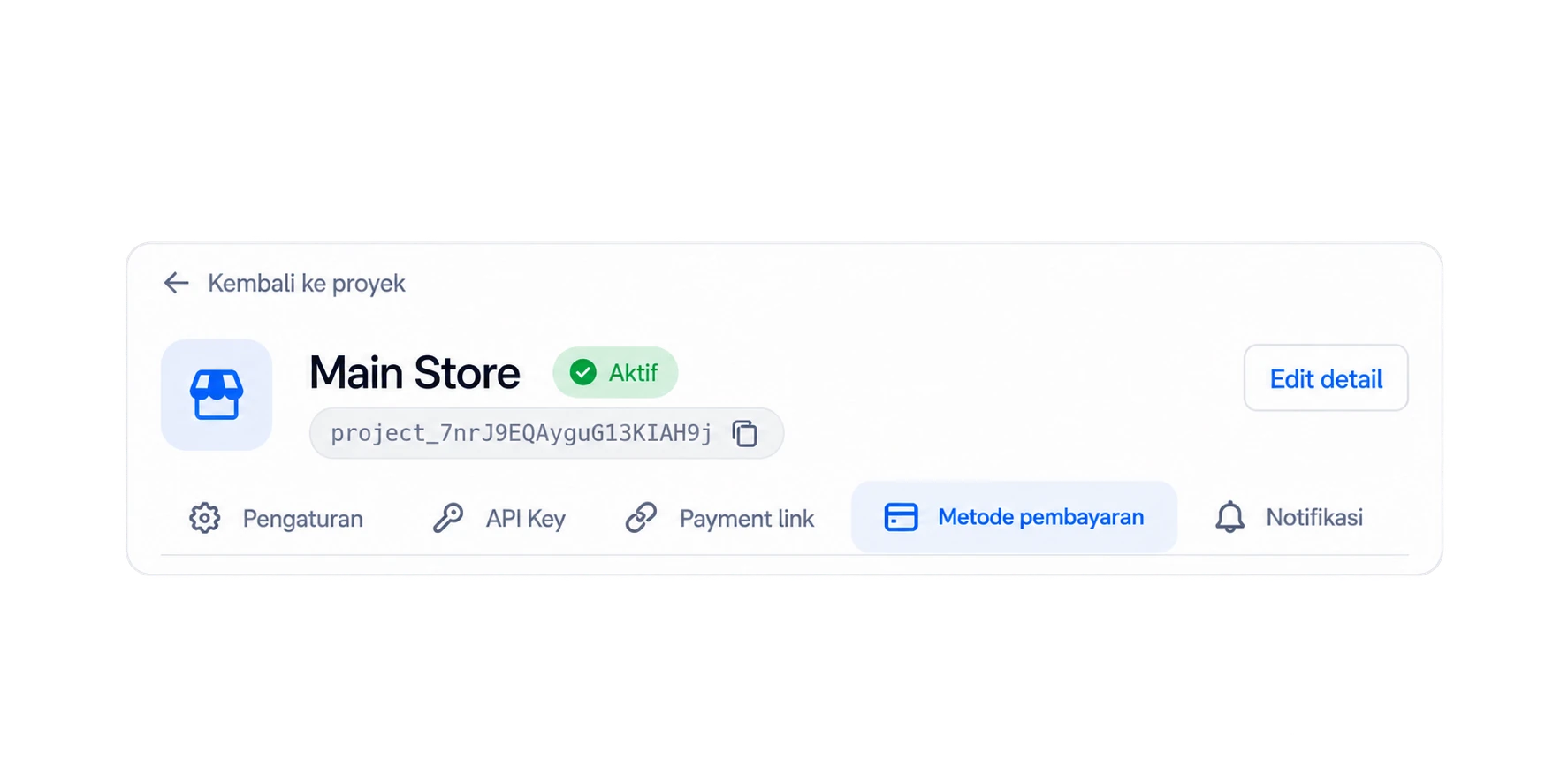
Full configuration for every Project
Set up payment methods, API credentials, webhooks, and other settings to fit your business — all kept separate per Project.
- Manage Sandbox and Production environments separately
- Configure payment methods per Project
- Generate your own API credentials
- Manage webhooks and notifications
- Rename or update Project details anytime
Payment Methods
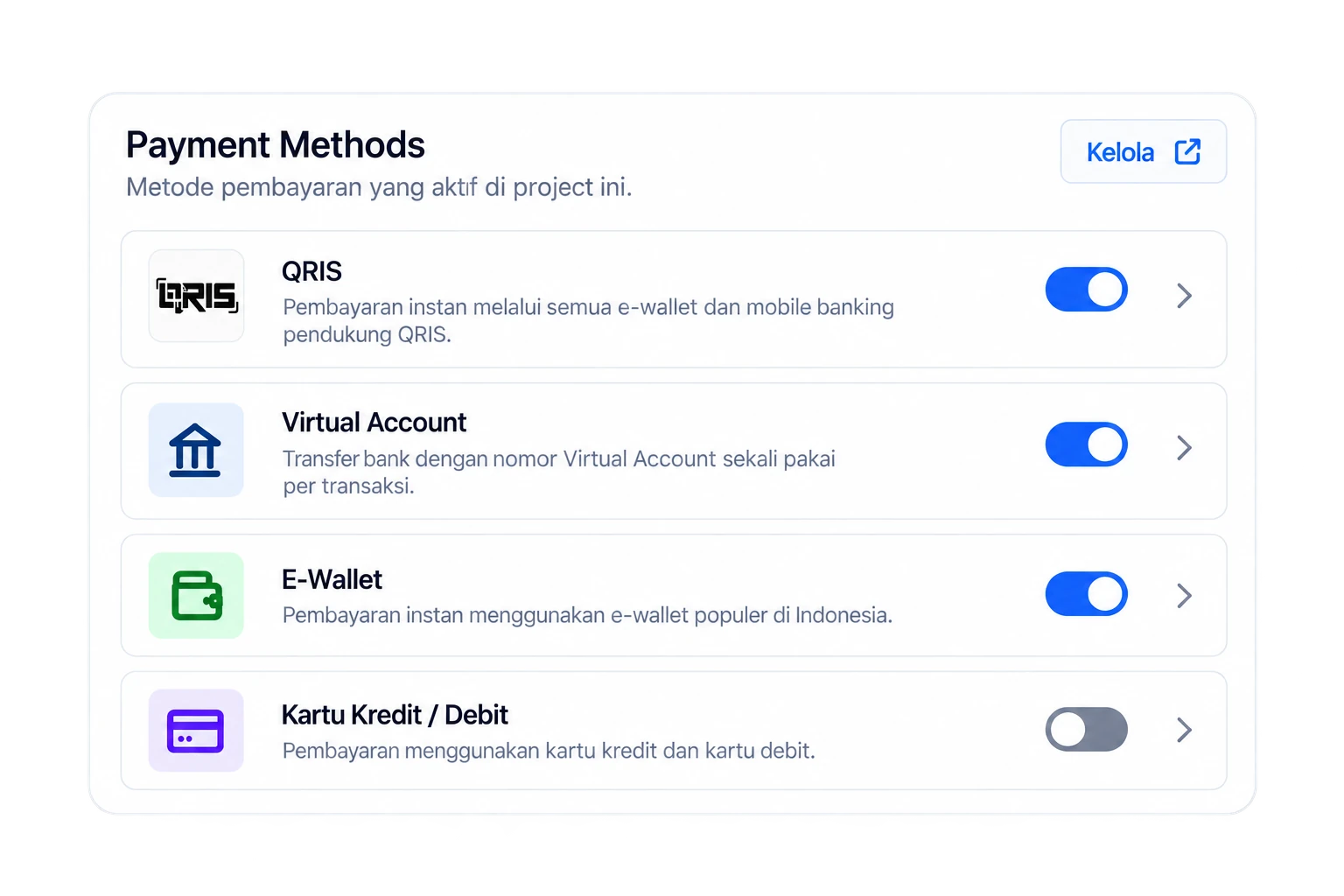
Turn on the payment methods you need
Choose and configure payment methods per Project. Turn on only what you need, and set fees for each one.
- QRIS, Virtual Account, E-Wallet, and Credit Card
- Set fees per payment method
- Turn methods on or off easily
- Configure to fit each Project's needs
Analytics
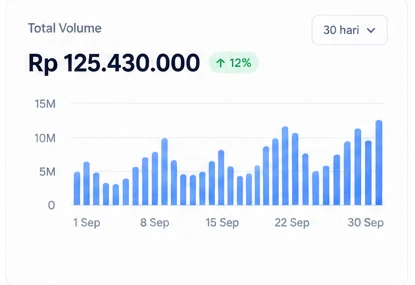
Track every Project's performance
See transaction volume, payment counts, and performance trends separately for each Project.
- Transaction performance summary
- Payment trends and charts
- Transaction volume per period
- Performance data for every Project
Frequently asked questions
Questions about Projects
See all FAQsWhat is a Project in Baiyar?
A Project is how you manage a single business, brand, or app in Baiyar — complete with its own payment methods, API credentials, and transactions.
How many Projects can I create?
You can create unlimited Projects in one Baiyar account, ideal for businesses with multiple brands or product lines.
Do transactions mix between Projects?
No. Each Project has fully separate transaction data, payment methods, and settings.
What's the difference between Sandbox and Production?
Sandbox is for testing your integration without real transactions, while Production processes real transactions from your customers.
Can I rename or update a Project after creating it?
Yes. You can update a Project's name, category, and other details anytime from its settings page.
Do I need a separate account for every business?
No. Just one Baiyar account, then create a separate Project for each business you manage.
One account, many Projects
Manage every business, app, or brand in one Baiyar account. Each Project keeps its own configuration, payment methods, and API credentials.