Payment Analytics
Understand every payment, at a glance.
Monitor payment volume, transaction performance, and project insights in one place. Turn your payment data into clearer business decisions.
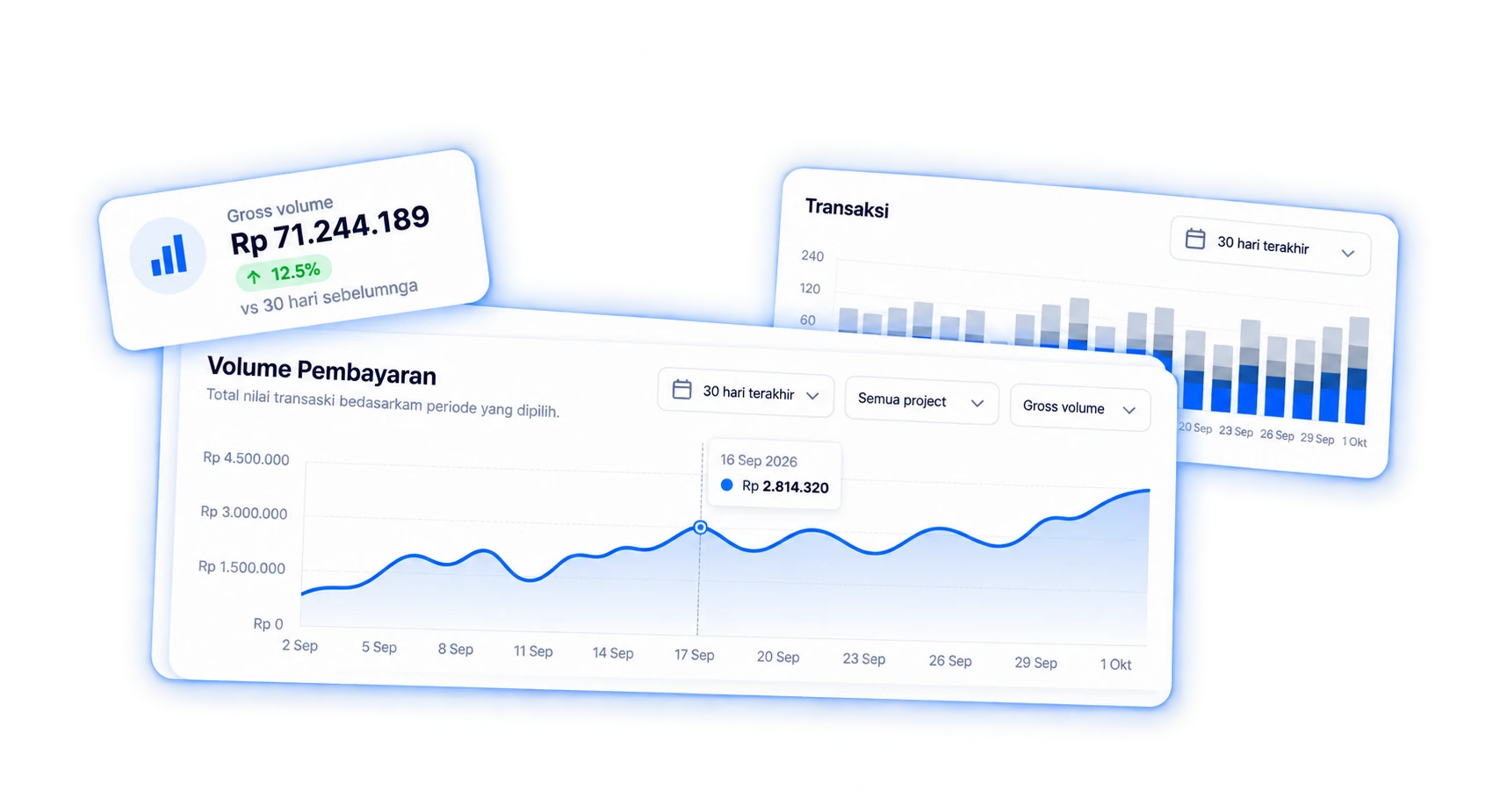
Payment Volume
See how your payments perform.
Track gross payment volume over time and understand how your business is performing across different periods.
- View payment volume by day, week, or month
- Filter by Project
- Identify trends and peak periods
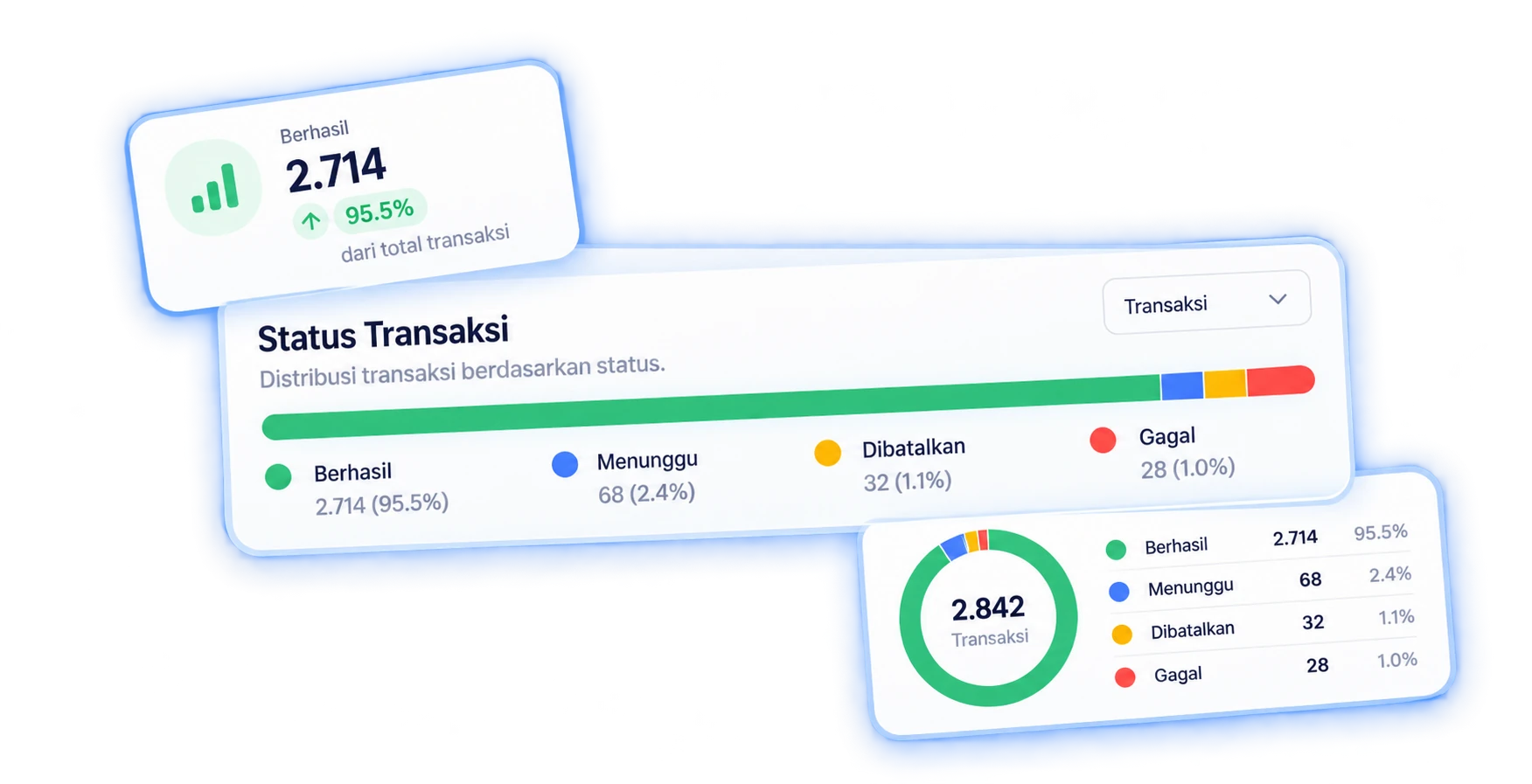
Transaction Insights
Know what's happening with every transaction.
Get a clear view of transaction activity across your Projects, from successful payments to failed transactions.
- Monitor successful, failed, pending, and cancelled transaction counts
- See a real-time breakdown of transaction status
- Spot spikes in failed transactions faster
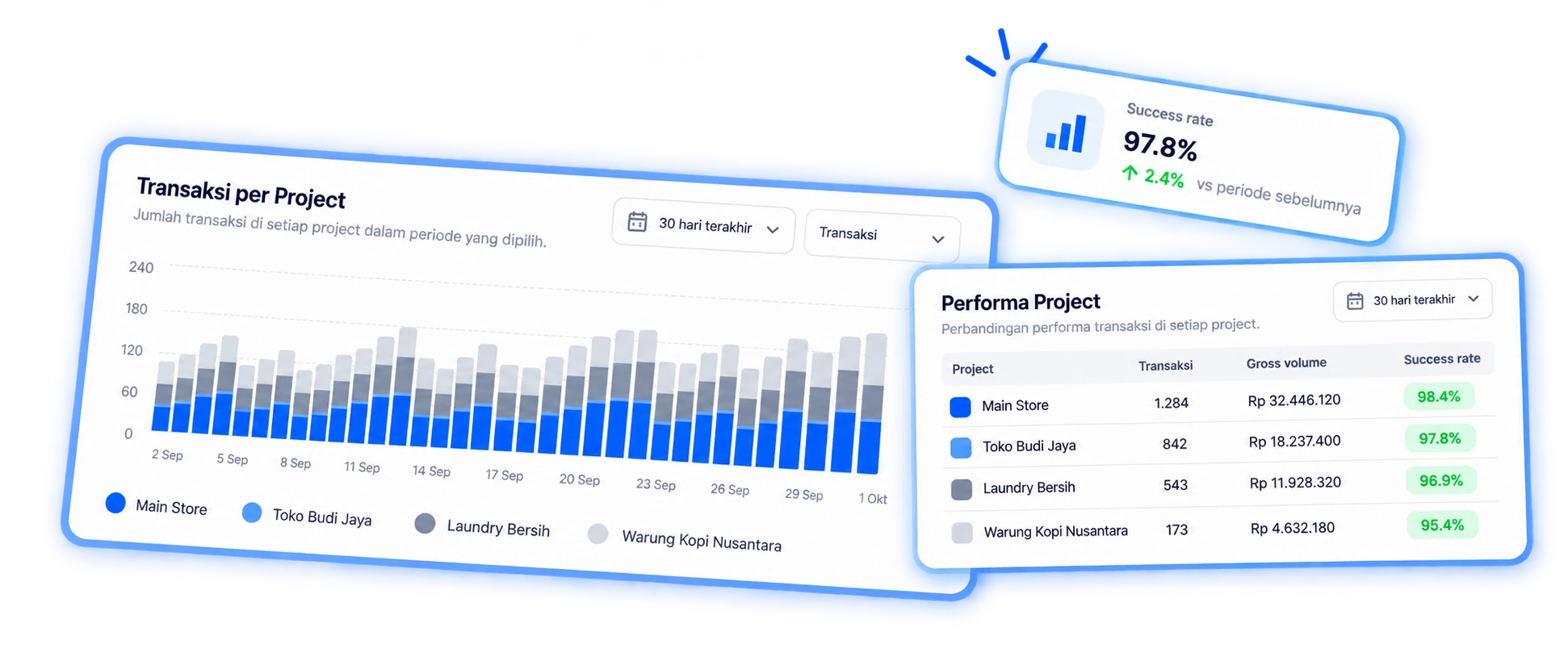
Project Performance
See which projects are driving your payments.
Compare payment performance across Projects and understand where your transaction volume comes from.
- Compare multiple Projects at once
- View transaction volume by Project
- Compare gross payment volume
- Identify your highest-performing Projects
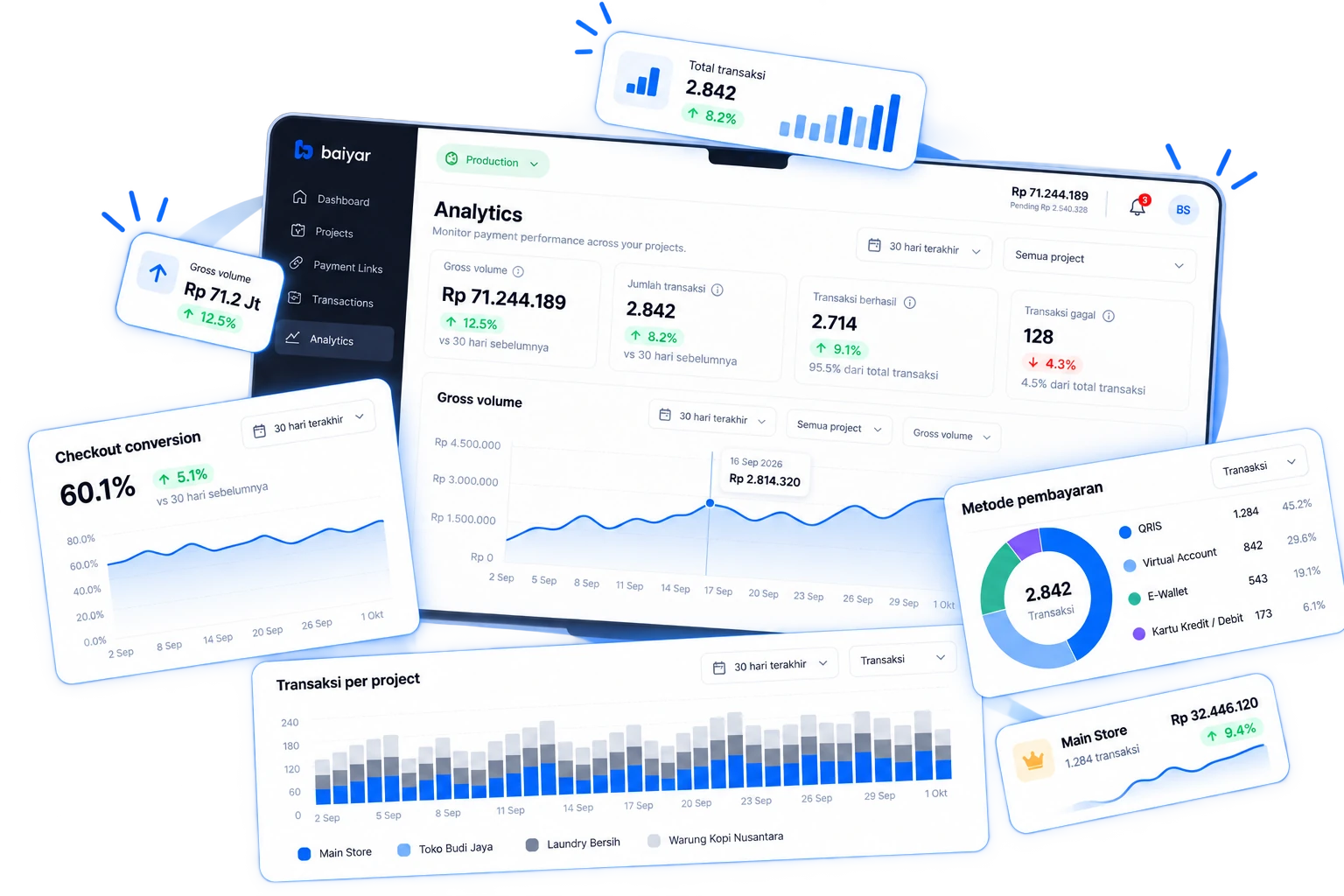
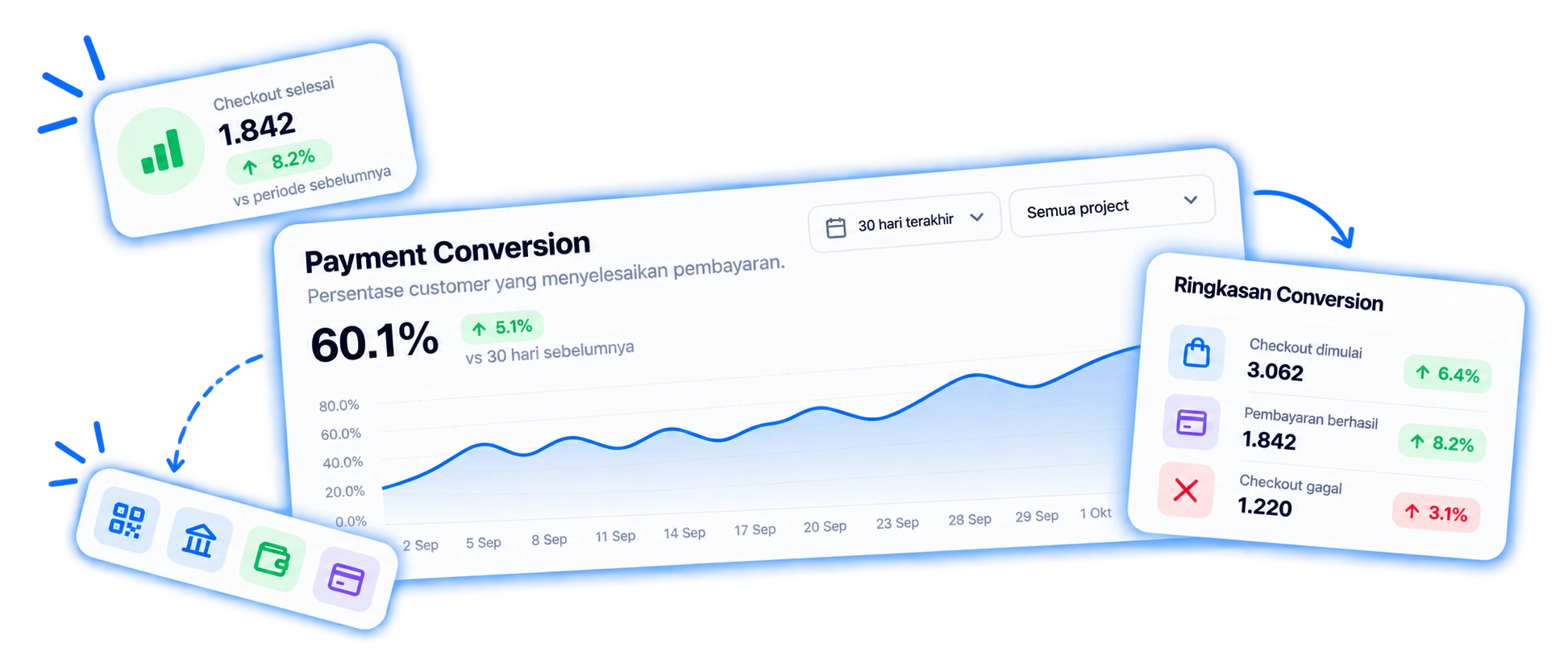
Checkout Performance
Measure your checkout performance.
Understand how many customers complete their payment and monitor checkout conversion over time.
- Track checkout conversion
- Compare conversion trends
- Monitor performance over time
Payment Methods
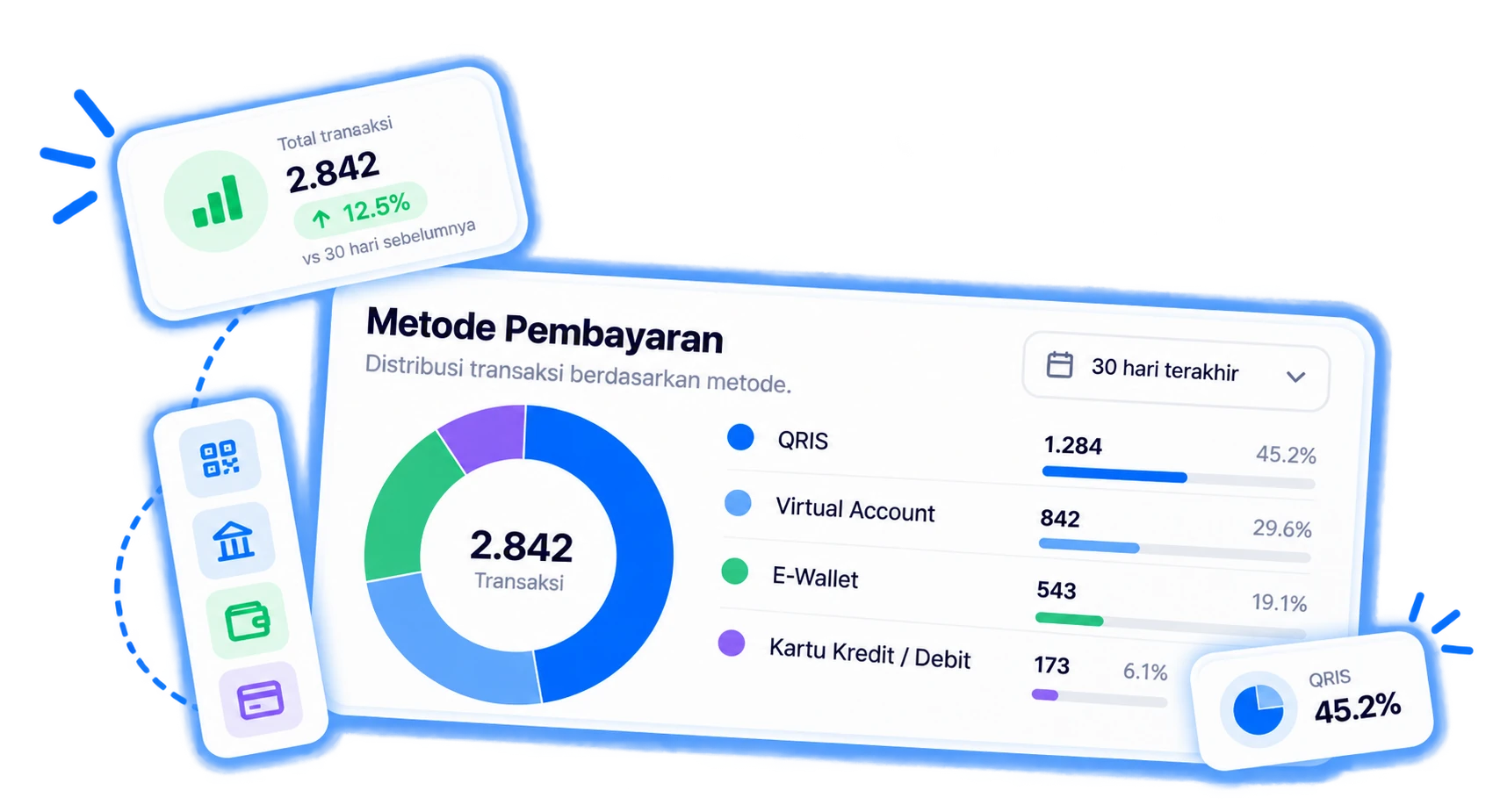
Understand how customers pay.
See transaction activity across the payment methods enabled for your Projects.
- See the distribution across QRIS, Virtual Account, E-Wallet, and Credit/Debit Card
- Know which payment method customers use most
- Automatic breakdown per Project
Everything you need to understand your payments.
Payment volume
Track how much your business processes over time.
Transaction insights
Understand successful, failed, and pending transactions.
Project comparison
Compare payment performance across your Projects.
Checkout conversion
Monitor how effectively customers complete payments.
Frequently asked questions
Questions about Analytics
See all FAQsWhat is Baiyar Analytics?
Baiyar Analytics is a payment analytics dashboard that shows payment volume, transaction performance, and checkout performance in one place.
Is Analytics data separated per Project?
Yes. You can view combined data across all Projects or filter down to a single Project.
What metrics are available in Analytics?
Analytics covers payment volume, successful and failed transaction counts, checkout conversion, Project performance, and payment method distribution.
Does Analytics show transaction fees?
No. Analytics currently focuses on transaction volume and performance, not fee breakdowns.
Can I compare performance across Projects?
Yes. The Project Performance section shows transaction count, volume, and success rate for every Project side by side.
Can I filter by a specific time range?
Yes. You can filter Analytics data by time period, such as the last 30 days.
Make better payment decisions with better data.
Get a clearer view of your payment performance with Baiyar Analytics.